A browser-based server console with a real file explorer, SSH tabs, and Docker controls
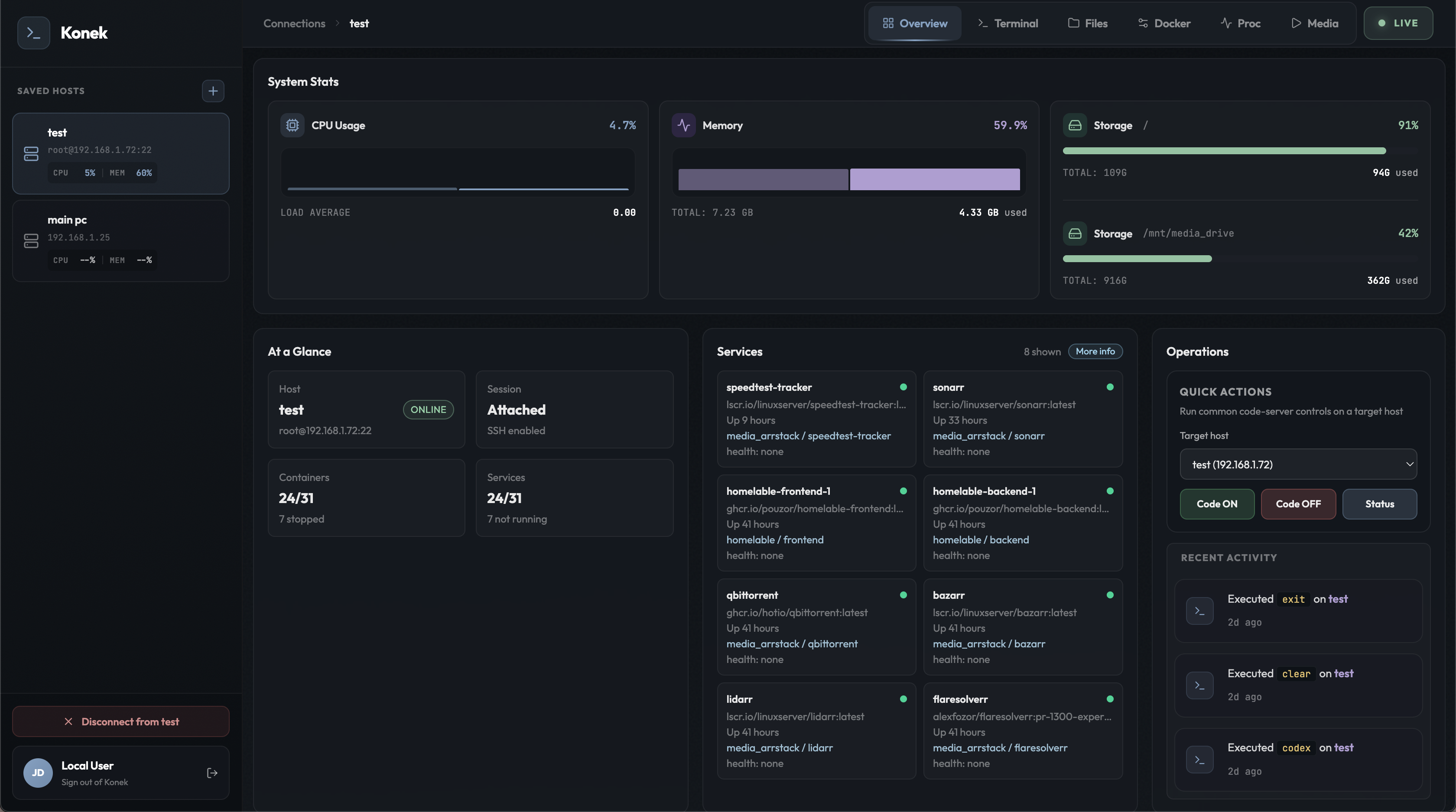
Konek turns the browser into a small ops desk. Instead of juggling SSH, SFTP, log tails, and container commands across different tools, I built one workspace that can browse remote files, open tabbed terminals, inspect processes, and manage containers from the same session.
SSH is enough until you need the whole machine.
Terminal access solves one layer of remote work, but not the rest of it. The moment I want to browse directories, inspect uploads, open a config file, watch container status, or wake a sleeping box on the LAN, the workflow usually explodes into five separate tools.
Konek compresses that into one browser surface. The frontend is a Vue 3 and Vite workspace with xterm tabs, Monaco editing, and a dedicated file manager. The backend is a Hono service that owns the SSH session, proxies file operations, tracks terminal tabs, and exposes Docker, process, and host actions behind one auth layer.
One browser tab, several admin surfaces.
The point was not to clone a full desktop. It was to make the common server tasks feel contiguous: file browsing, SSH commands, container operations, metrics, recent activity, and media tooling all under one session-aware UI.
The file manager is not cosmetic. It lists remote directories over SSH, supports uploads, delete and archive actions, opens text files in Monaco, and handles media preview. The terminal area keeps multiple tabs alive, so logs and shell commands can stay open while the rest of the interface keeps moving.
The useful parts of a remote desktop without pretending to be one.
File manager
Browse remote directories, search the current path, upload files, archive selections, delete entries, open text in Monaco, and preview media without dropping back to a separate SFTP client.
Tabbed SSH terminal
Keep multiple shells alive at once. One tab can tail logs, another can run Docker commands, and another can stay in an interactive shell without forcing the whole interface to behave like a terminal app.
Docker and process tooling
Container state, logs, process inspection, and quick operational actions live alongside the terminal instead of behind a second admin panel.
Host actions
The host list keeps session context, online checks, and Wake-on-LAN in one place, which makes the tool useful before the SSH connection even exists.
The browser talks to one API, the API fans into one owned SSH session.
File operations stay plain on purpose.
The file route translates a browser action into a straightforward shell listing on the remote host. That keeps the UI responsive while staying grounded in the real filesystem instead of a copied mirror or sync cache.
GET /api/files/list?sessionId=abc123&path=/srv/media
session.client.exec('ls -la --time-style=long-iso /srv/media')

frontend
backend
logs
Terminal tabs are first-class, not a single giant console.
The terminal panel keeps multiple tabs alive, which matters when one pane is tailing logs, another is in a shell, and a third is poking Docker. The UI chooses the active terminal tab, but the backend owns the lifecycle.
listTerminalTabs(sessionId)
createTerminalTab(sessionId)
closeTerminalTab(sessionId, tabId)

activeTabId stays in the browser
tab state stays on the server
The win is not complexity. The win is fewer tool switches.
Remote tooling becomes coherent when the backend owns the session state. That lets the frontend switch surfaces quickly without renegotiating the connection every time.
A file explorer and a terminal should complement each other, not compete. The terminal is still the escape hatch, but the explorer removes low-value command churn.
The fastest path is usually small primitives glued together well: SSH, shell commands, focused endpoints, and a UI that exposes the right actions without pretending to be magic.
Konek is the kind of project that gets more valuable the more boring the interaction becomes. Open the browser, pick a host, browse files, open a shell, inspect containers, and get out. That is the whole pitch.